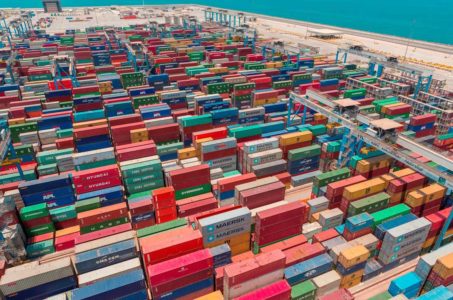
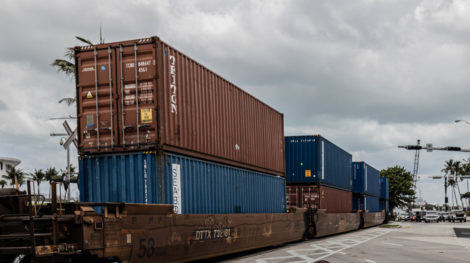
Every shipping container carries an eleven-character identity code stencilled on its side and doors. It looks arbitrary. It isn’t. Under ISO 6346, each part of that code means something specific — and the last digit exists purely so a computer can tell you when someone has typed it wrong.
Learning to read it takes about five minutes and will save you a delayed pickup at some point.
The four parts
Take a sample: MSCU 123456 7.
1. Owner code (three letters)
The first three letters identify the container’s registered owner — usually an ocean carrier or a leasing company. MSC, MAEU, CMAU, TCLU and similar prefixes are registered with the Bureau International des Conteneurs (BIC), which maintains the global registry.
2. Category identifier (one letter)
The fourth letter tells you what kind of unit it is:
- U — a freight container. The overwhelming majority.
- J — detachable freight-container-related equipment.
- Z — trailers and chassis.
3. Serial number (six digits)
The owner’s own sequence. No meaning beyond uniqueness within that owner’s fleet.
4. Check digit (one digit)
A calculated value derived from the preceding ten characters. It doesn’t identify anything — it validates the rest.
How the check digit works
The arithmetic is straightforward:
- Each letter is converted to a number: A=10, B=12, C=13, and so on upward, skipping every multiple of 11 (so 11, 22 and 33 are never used).
- Each of the ten characters is multiplied by a weight: 1, 2, 4, 8, 16, 32, 64, 128, 256, 512 — doubling at each position.
- The products are summed.
- The sum is divided by 11, and the remainder is the check digit. A remainder of 10 is written as 0.
You don’t need to do this by hand. Any terminal system, TMS, or online validator does it instantly. The point is understanding why a container number gets rejected: a transposed digit changes the weighted sum and the check digit no longer matches.
The other markings on the box
Next to the container number you’ll usually find:
- The size and type code — four characters describing dimensions and construction. “45G1”, for example, indicates a 40-foot high cube general-purpose container.
- MAX GROSS — the maximum permitted weight of container plus cargo.
- TARE — the weight of the empty container. You need this for your verified gross mass calculation and for road-legal weight math.
- NET / PAYLOAD — maximum cargo weight.
- CSC safety approval plate — on the door, confirming the container is certified for international transport and showing its next examination date.
Tare weight in particular is worth reading off the actual box rather than assuming a standard figure. Containers vary. Our guide to 20ft, 40ft and 45ft containers covers typical ranges, but the stencil is the authority.
Where wrong container numbers cause real problems
A single transposed character can cause:
- A failed terminal appointment. The system has no record of the container you booked for, and the driver arrives to a gate rejection.
- A VGM that doesn’t match. Your verified gross mass is filed against a container number that isn’t the one on the ship’s manifest, so the terminal shows no VGM on file.
- Customs entry mismatches. The entry references a container number that doesn’t tie to the bill of lading.
- Wasted dispatch. A driver, a chassis, and half a day spent on a move that couldn’t happen.
All of these are one-character problems that surface hours later, at the point where they’re most expensive to fix.
Practical habits
- Validate on entry. Any system that accepts container numbers should run the check digit before accepting the record. If yours doesn’t, that’s a small fix with a large payoff.
- Copy, don’t retype. Most errors are manual transcription from an email or a PDF.
- Photograph the box. At pickup, a photo of the container number and the CSC plate resolves disputes later.
- Watch the letter-number lookalikes. O and 0, I and 1, S and 5 are the usual suspects, particularly on weathered or repainted containers.
Systems that carry the container number end-to-end and validate it once are what prevent this class of error entirely. That’s part of what real-time visibility is actually for — see what container tracking should look like.
Checking your own containers
If you’re an importer with containers moving through PortMiami or Port Everglades, the container number is the key that ties together your bill of lading, your customs entry, your terminal appointment, and your drayage dispatch. Getting it right once, at the top of the chain, prevents most of the downstream mismatches.
Go Drayage customers can follow containers live on our shipment tracker rather than reconciling numbers by email.
Frequently asked questions
What does the U in a container number mean?
The fourth character is the category identifier. U designates a freight container, which covers the vast majority of boxes you’ll encounter. J indicates detachable freight-container-related equipment, and Z indicates trailers and chassis.
Why does my container number fail validation?
Almost always a transcription error. The check digit is calculated from the preceding ten characters, so a single wrong or transposed character makes the check digit invalid. Compare your record against a photo of the actual container before assuming the box is mislabelled.
Where do I find the container’s tare weight?
It’s stencilled on the container itself, usually on the doors near the container number and the CSC safety approval plate, marked TARE. Use that figure rather than a generic assumption when calculating verified gross mass or road-legal gross weight.